01
Open up the arena
Break candy blocks to clear paths and pick up bonuses. A shortcut can also become a trap.
NanoRoom · Multiplayer arena
Blast candy blocks, make your escape and trap your opponents. Bring your friends into the same arena, on a phone or in a browser.
Free on iPhone, Android and browser · 16+
How does it play?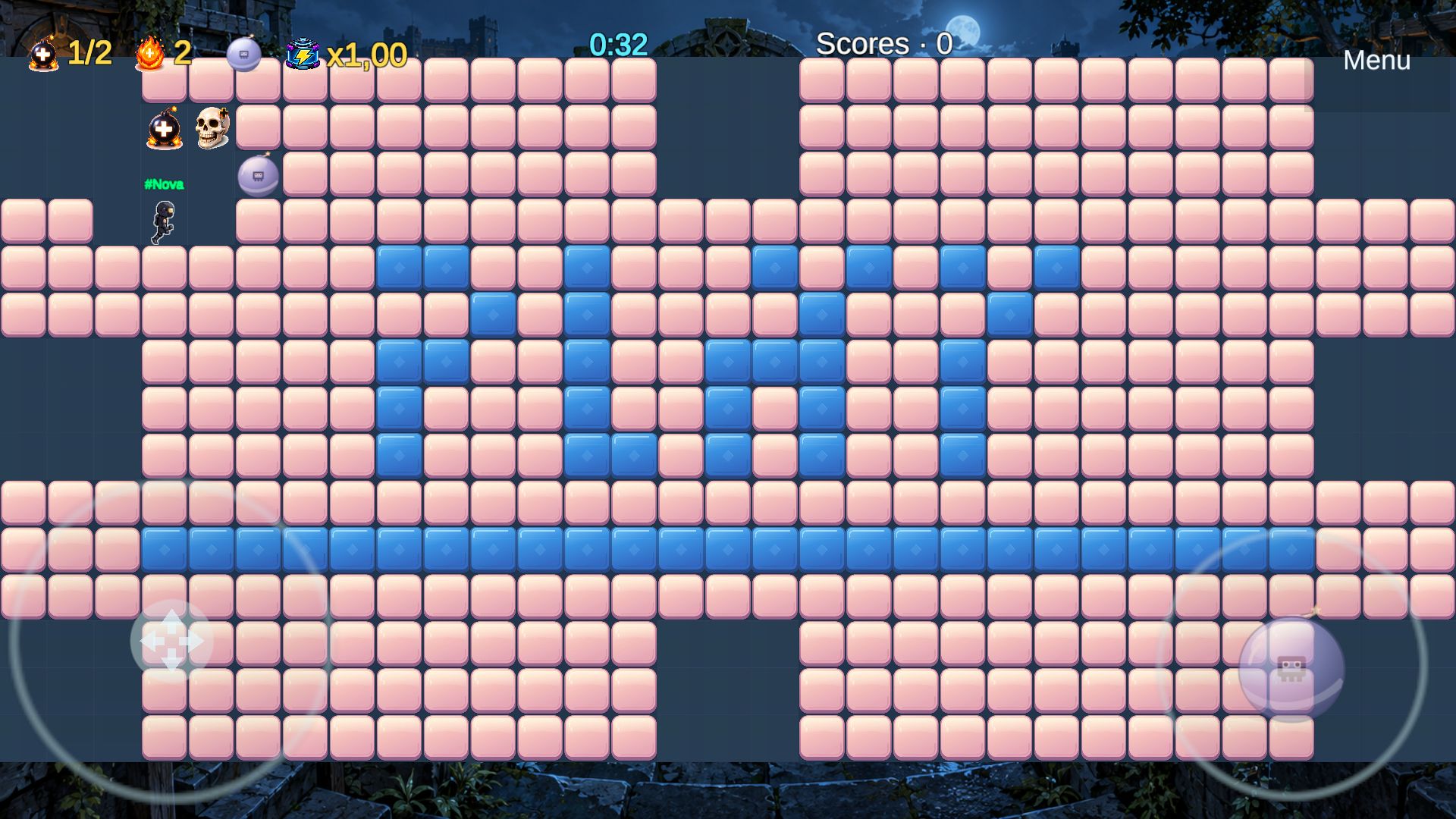
5 bombs
Different effects to master
One arena
Mobile + browser
Survive
Then ask for a rematch
Small arena. Big rivalries.
The whole arena is in view. Read the blast paths, keep an escape route and pick your moment.
Break candy blocks to clear paths and pick up bonuses. A shortcut can also become a trap.
Five bomb types change your options. Red bombs blast through breakable blocks; blue bombs can destroy blue walls.
Dodge the explosions and be the last player alive. The next round is your chance for a rematch.
Your break with friends, with a bang
Each arena holds up to 12 players. You can already play a match with four friends.
Open the gameTry guest mode without creating an account. Your nickname is temporary. Create an account to keep your profile.
Create or join a custom room, then share its invitation from the game menu. Everyone can join on an available platform.
On a phone, play in landscape: movement on the left, bombs on the right. On a computer, use the arrow keys or ZQSD and Space. Always leave yourself a way out!
Better when we arrive together
NanoRoom is building its community. Bring your friends to find opponents, or join a future session announced here.
Next date to be announced
The next date and joining instructions will appear here. You can ask player support to take part while the next meetup is being prepared.
Suggest a time by emailLet’s plan it together
Date and time to be confirmed
A precise time will be announced once the session is confirmed. No countdown until a date is set.
01
Install the available version on your phone or play in your browser. Give it a first try before the meetup.
02
Come back at the announced time to meet the other participants in the game.
03
Follow the instructions to join the same arena as the other players. Play a few rounds to learn, then go for a rematch.
Before your first bomb
No. Guest mode lets you try the game with a temporary nickname. Your guest session is forgotten when you log out; create an account to keep your profile and access account-only features.
Yes. iPhone, Android and browser players share the same arenas. Create a custom room and share its invitation link to find your friends.
No. You can play with fewer people, including a group of four. Start a room alone to explore the arena. There are currently no computer-controlled opponents.
No. An Internet connection is required, even when starting a room alone. NanoRoom does not yet offer a story campaign or an offline mode.
Turn your phone to landscape. The left joystick moves your character; the right one places bombs. Fullscreen support depends on your browser: it is not required to play.
Use the App Store link in the download buttons on this page to find the official app.
Your turn
Try it free in your browser or install NanoRoom on iPhone and Android.